watchOS 26 · iOS 26
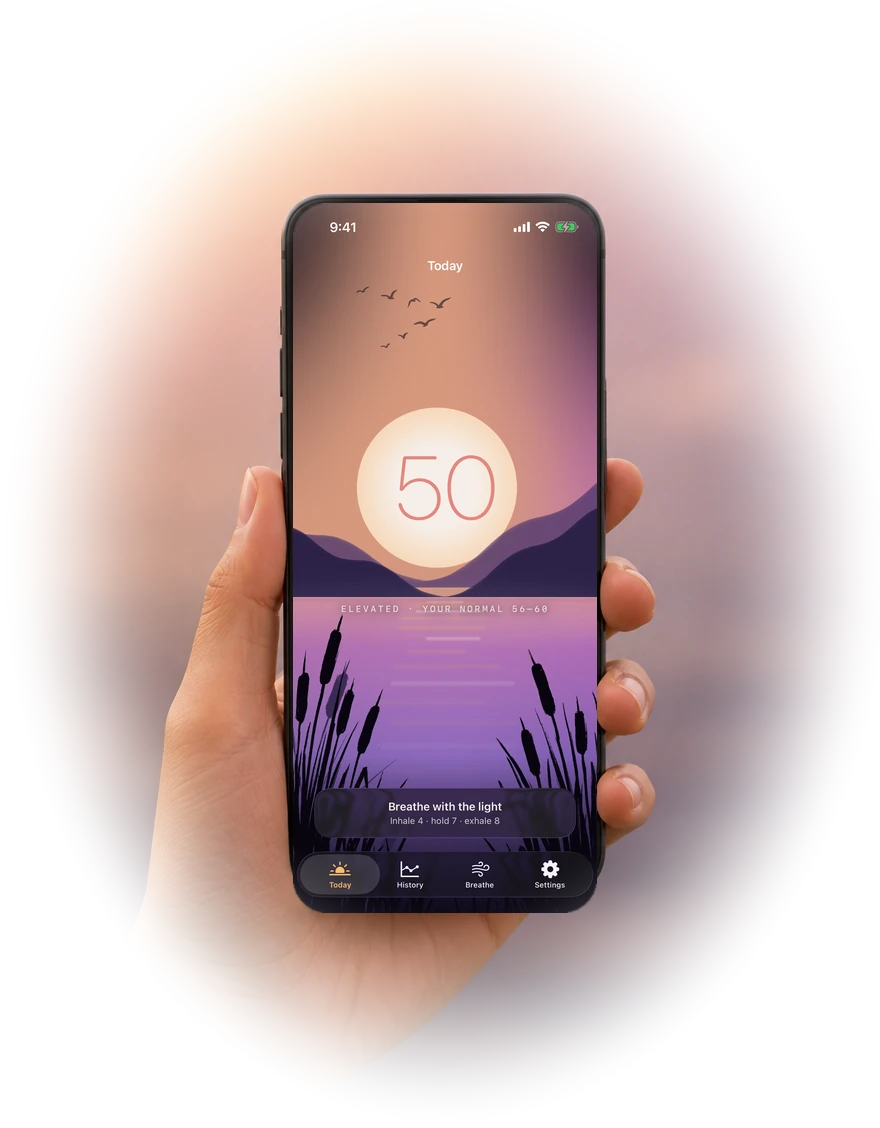
Calmline reads Heart Rate Variability from Apple Watch and scores it against the median of your own recent history — never a population average. When it climbs, the card lifts itself to the top of your Smart Stack.
No account · No server · Nothing leaves your device
How it works
HRV suppressed relative to your own baseline is the stress signal. Here is the entire calculation — there is no model to trust.
The baseline is the median of your recent daily HRV averages. The median, deliberately — one bad night or one hard workout cannot drag a whole week.
Today’s reading is scored against that baseline. With fewer than three usable days it says “calibrating” rather than inventing a number.
Crossing your threshold taps your wrist — on the crossing, not on every reading, and never during quiet hours.
Features
Above your threshold it promotes itself to the top of the stack. Below it, Calmline stays out of your way entirely.
One press from Control Center or the Ultra’s Action button starts a haptic-guided session with the screen dimmed — usable in a meeting.
A short or disturbed night lowers today’s threshold, so it speaks up sooner when you have less headroom. It never raises it.
Sustained strain offers a genuine WorkoutKit session — it lands in the Workout app and counts toward your rings.
Every reading exports as CSV or JSON with units named and the formula included, so the file makes sense without this app.
Rectangular, circular, inline and corner. Put your score wherever you already look.
In practice
Three places Calmline earns its keep — none of which involve staring at your wrist.

Discreetly
The score is one number on a dark face. You read it in a second and put your arm down.

Screen-free
One press from Control Center. The screen dims and the haptics lead — usable in a meeting without anyone noticing.

Overnight
A short or disturbed night lowers today’s threshold, so Calmline speaks up sooner when you have less to give.
Privacy
Not a policy position — a property of the code. There is no networking client anywhere in Calmline. No account, no server, no analytics, no third-party SDK. Your heart data cannot leave, because there is nowhere for it to go.
| What it reads | Where it goes |
|---|---|
| Heart Rate Variability (SDNN) | Stays on device |
| Resting Heart Rate | Stays on device |
| Sleep & breathing disturbances | Stays on device |
| Breathing sessions | Apple Health, as Mindful Minutes |
Baseline-relative
The same HRV reading is unremarkable for one person and a warning for another. Calmline only ever compares you to your own recent history.
Why baseline-relative
“A ‘normal’ HRV does not exist. Values differ by an order of magnitude between healthy people, so only your own trend carries information.”
“One poor night can halve a day’s HRV. A mean over seven days inherits that; a median shrugs it off.”
“An alert that fires on every reading while stress stays high is noise. Only the crossing is news.”
Pricing
The score, the Smart Stack card and haptic breathing are free. Plus adds the long view.
FAQ
Calmline needs at least three days of usable HRV readings before showing a number, and it will not guess from less. Wear your watch and the score appears.
Apple Watch records HRV on its own schedule — often only every few hours. Calmline can only score what watchOS has recorded. Wearing the watch overnight and keeping Background Measurements on gives it far more to work with.
No. Calmline does not diagnose, treat or prevent anything. HRV is an indirect signal affected by sleep, exercise, caffeine, alcohol and illness. Treat the score as personal reflection, never as medical advice.
Yes — the watch app runs independently. The iPhone app adds trends, export and settings.
Settings → your name → Subscriptions → Calmline on iPhone, or the link inside the app. Deleting the app does not cancel a subscription.